
Plan in graphs.
Execute in order.
Topolog turns any goal into a dependency graph and schedules your days around it. You get a structured plan, a completion spectrum, and a task list that adapts as you mark them done. Every plan is a real program, so the dates and odds are computed, not guessed.
7-day free trial · 250 credits · No card required
Public language. You can bring your own AI.
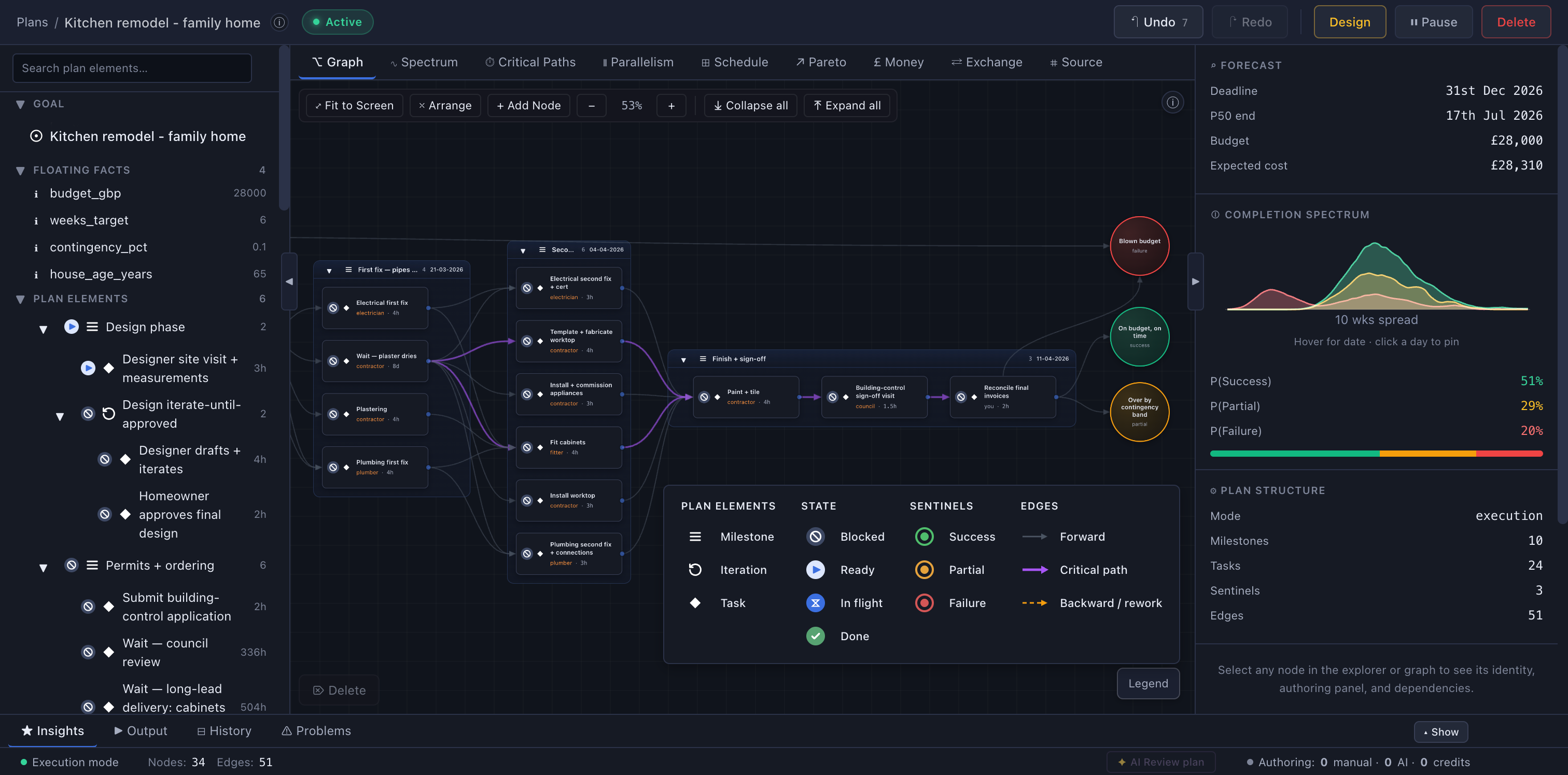
Two views of every plan
Topolog shows every plan as a Directed Graph and as a List: the same plan, topologically sorted into the familiar outline you already think in. Same data, two shapes.
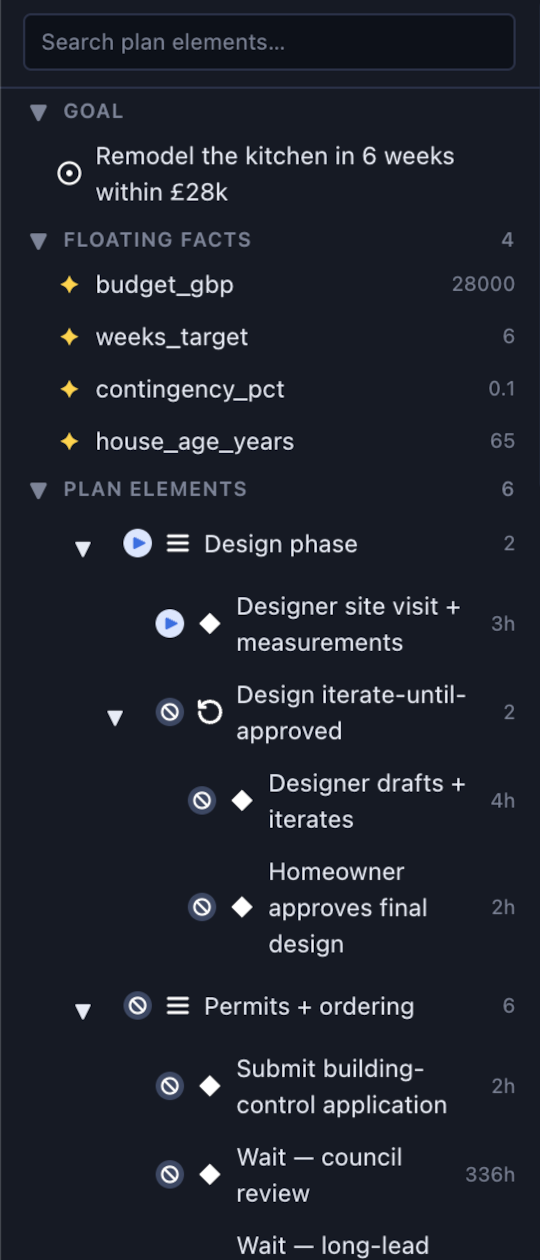
See the dependency structure, parallel branches, and where work bunches up, all in one canvas.
Work top to bottom. Milestones expand into tasks and iterations, each with its hour estimate, always in dependency order.
Graph and list are two shapes of the same data, side by side. Edit either and the other updates live.
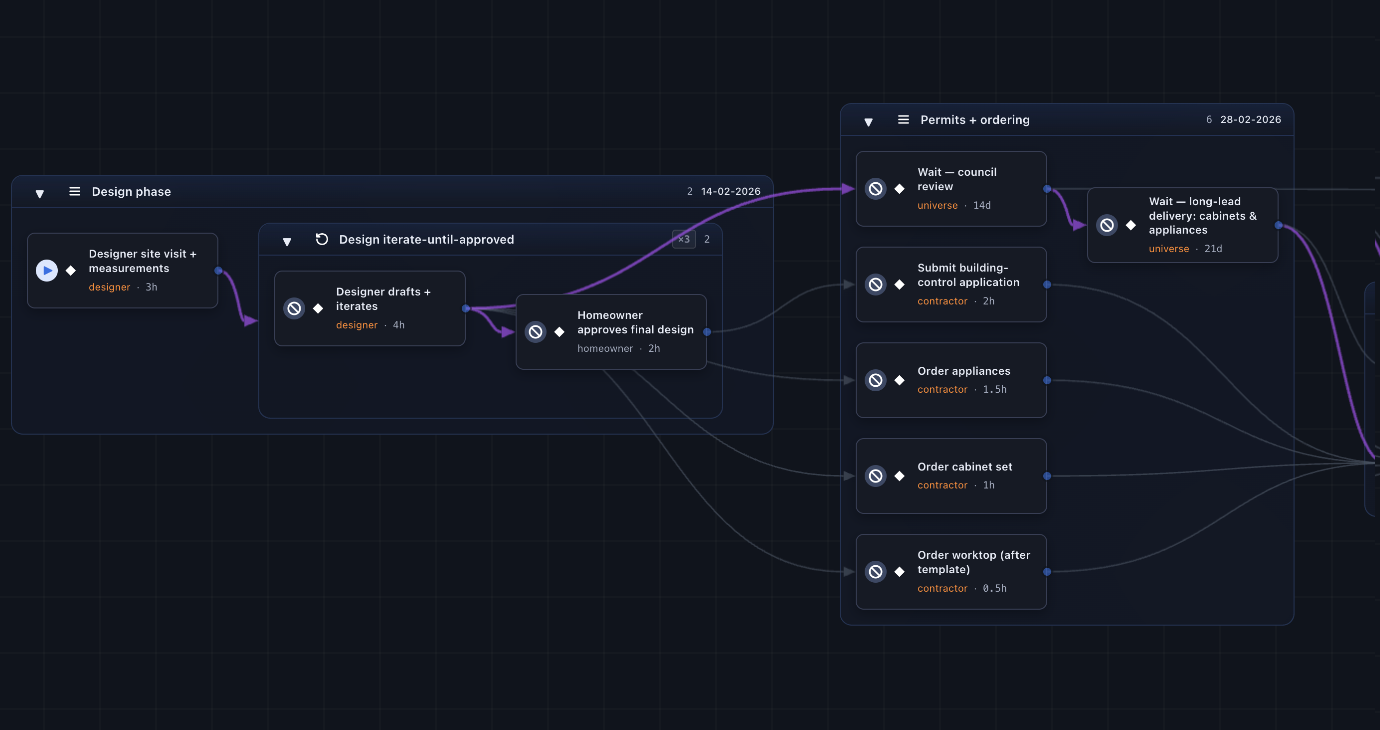
From blank page to scheduled plan in ~5 minutes
Express mode runs hierarchically: milestones first, then the cross-dependencies between them, then the atomic tasks fan out in parallel. You watch the plan think itself into existence.
Designed for the way real goals work
A planner that takes structure as seriously as you do, without the project-management overhead.
Dependency-aware planning
Every task knows what blocks it. Mark one done and the rest of the plan re-arranges itself instantly. The critical path always stays marked.
Adaptive day-by-day schedule
Your weekly availability + your dependency graph = a calendar that fills itself. Slips are absorbed silently.
Honest deadlines
Topolog tells you when the goal will land, with a 'no earlier than' floor and a 'latest realistic' ceiling, not a single number you'll miss.
Money that moves the odds
Set a budget and Topolog allocates it across the plan, then plots the Pareto trade-off: how much spend buys how much probability of success.
Learns your pace
Topolog quietly learns how long you actually take per area and adjusts future scheduling. Your plan gets sharper as you execute.
Built for teams
Share goals, pool credits, assign tasks. The team scheduler maximises parallelism on your shared critical path.
Every plan is a program
The graph isn't a drawing; it's source code. Every plan is written in TOL, our Total Orchestration Language: a typed, executable description of the work, its uncertainty, and its dependencies.
Because it's a real program, one that is guaranteed to terminate by construction, your schedule and completion odds are computed, never guessed.
See how TOL worksplan "Remodel the kitchen in 6 weeks" {
agent contractor { type: internal }
outcome on_budget: boolean
milestone m_finish "Second fix + sign-off" {
task t_tile "Paint + tile" {
agent: contractor
estimate: 4h cv 0.3
produces: [on_budget]
script: "let waste = 0.1; 18.0 * (1 + waste)"
}
}
sentinel s_done { end_state: success }
edge e_done m_finish -> s_done { carries: null }
}The AI drafts. The engine validates. You decide.
The AI is the draftsman; you're the architect. But it never hands you prose to clean up: it drafts structured edits against a continuously validated graph. Goals decompose into milestones, then the dependencies between them, then the tasks, with every step checked against the language's invariants before it reaches you. Edit any node, rewire any dependency, override any proposal; the graph is always yours.
AI is completely optional. The canvas and scheduler work just fine without it.
Same goal, the era's biggest model. The fix was a better algorithm, not a bigger model.
Click to create
Click empty canvas to add a node. Click any node or edge to inspect and edit it in the side pane, or press Delete to remove the selection. Cycles at the task level are rejected automatically, so the structure stays a valid Directed Acyclic Graph (DAG) by construction.
- Click empty space→ New node
- Click a node or edge→ Inspect & edit
- Drag between two nodes→ New edge
- Delete / Backspace→ Remove the selection
Source tab for precision
Every plan is a document written in a purpose-built language called Total Orchestration Language (TOL) under the hood. The Source tab opens that document with syntax highlighting; the Problems drawer surfaces validator errors, structural-invariant violations, and deprecation warnings inline as you type.
- Edit any field→ Live re-validate
- SI violation→ Surfaced in Problems
- Round-trip→ Source ↔ Graph stay synced
AI never touches the math
The AI only ever drafts structured edits to the graph, and each is validated before it lands. Your schedule and completion spectrum are then computed by deterministic code, never AI, so the dates and odds never hallucinate. This is only possible because every plan is real, executable source code (TOL), not a prompt an AI re-interprets each time.
Bring your own AI
The planning language is public, so you can write in it with your own AI.
Express and Structured mode use our AI, but you are not locked to it. TOL is a real language with a full, public handbook, so any frontier model can write it. Describe your goal to Claude, GPT, or Gemini, point it at the handbook, and paste the result into Expert Mode. The engine validates instantly; copy any errors back to your AI and iterate.
Your AI authors. Our engine runs the math.
Works with the models you already use: Claude · GPT · Gemini
Your whole team, scheduled as one
Share a plan and it folds straight into one team timeline. See who is overloaded, what is shared, and when every thread really lands. It is all computed from the same graph, never typed into a status update.
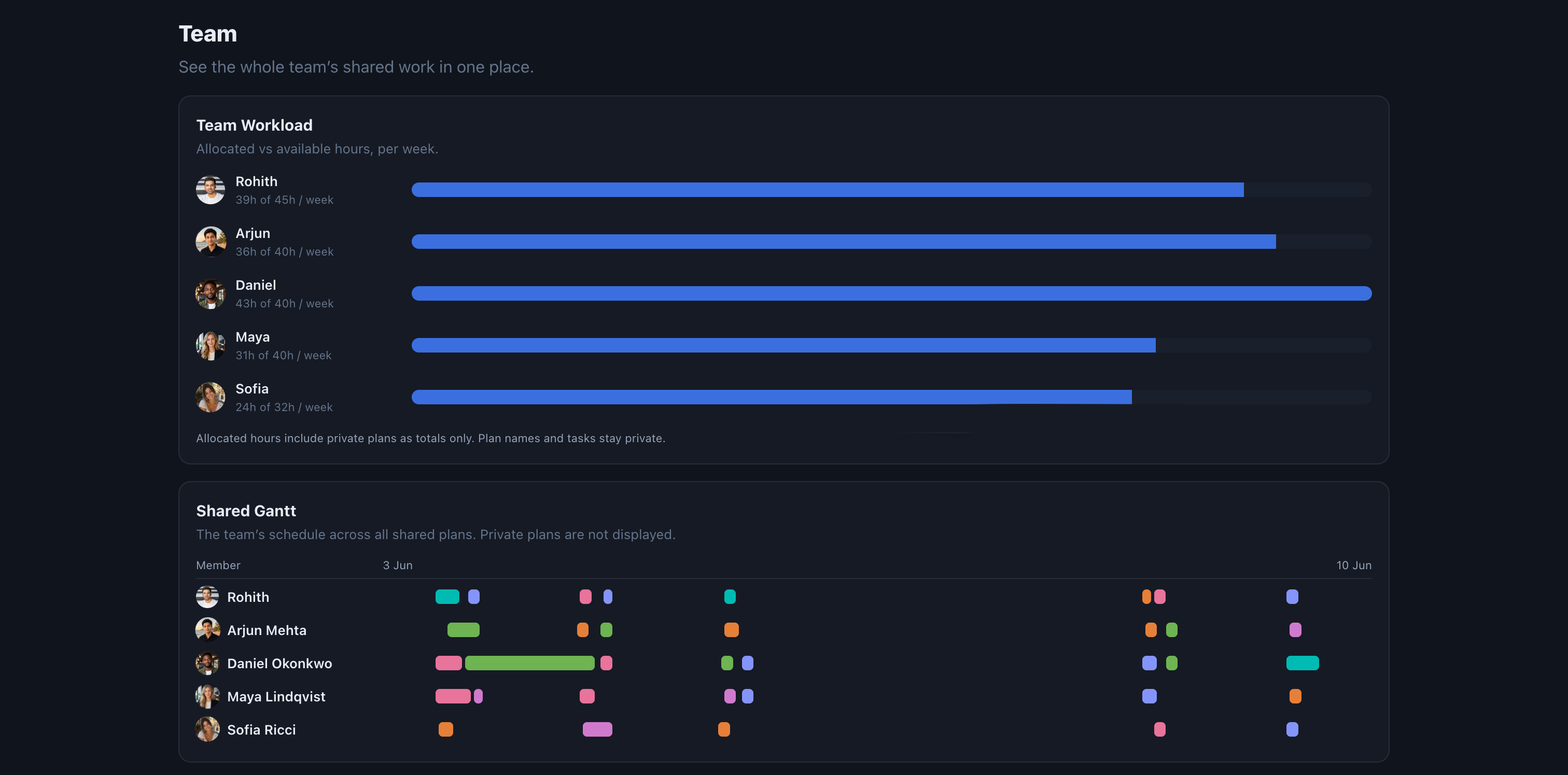
Capacity you can see
Every teammate gets one honest bar: the hours they have committed across their active plans against the hours they actually have that week. Overload shows up before the deadline does.
Share the plan, keep your privacy
Flip a plan to shared and the whole team sees it: coloured, owned, and assignment-aware. Everything you keep private stays private, right down to the individual task.
One timeline, every thread
Each shared plan lands on a single team Gantt, a lane per person. Overlaps, hand-offs, and idle gaps are all computed, so the schedule is the truth, not a guess.
Topolog gives you the object, not the shadow
Gantt, Kanban, a todo list: each one is just a projection of the same underlying thing. Most tools hand you a single shadow and lock you in. Topolog gives you the object itself, a rigorous Directed Acyclic Graph, and every view is computed straight from it, so they always agree.
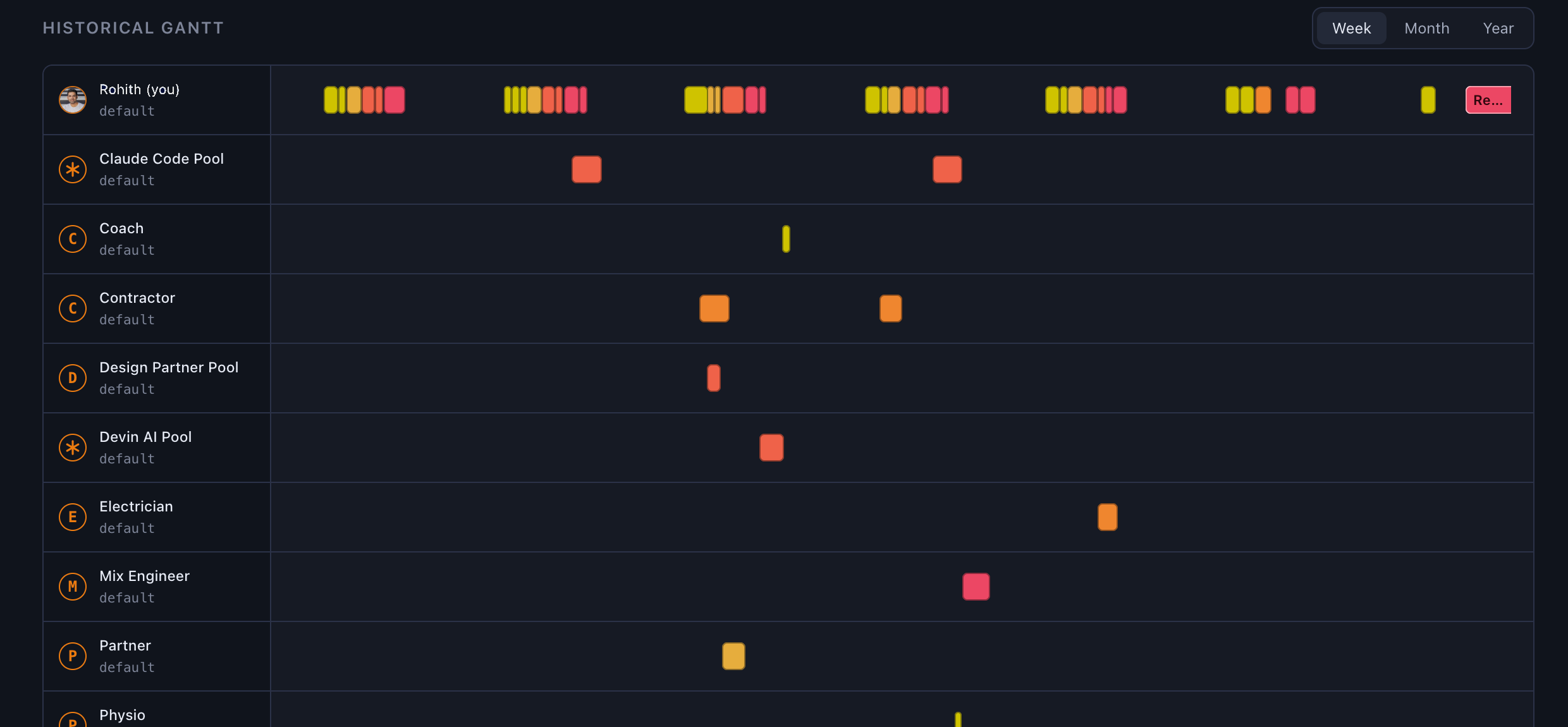
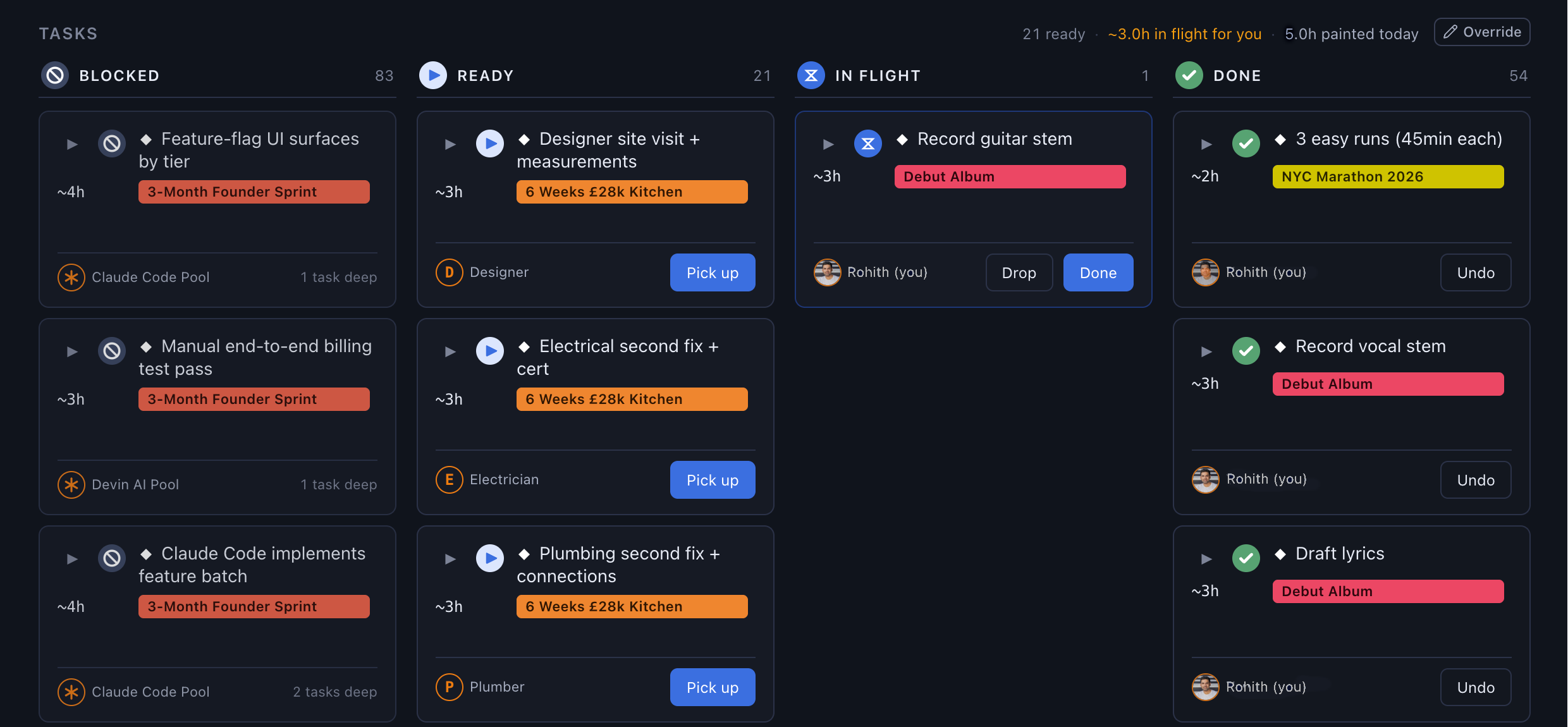
A Gantt's timeline, a Kanban's blocked and ready columns, a list's dependency order: none of it is bolted on per view. It all just falls out of the graph.
Your schedule, written by your dependencies
Scheduled around your real week
Topolog reads your weekly availability and fits your tasks into your real days, in dependency order. No drag-and-drop, no nudges.
Re-planned on every change
Mark a task done and what remains re-plans instantly. Slips are silently absorbed into the rest of the plan, and a deadline only warns you when it is genuinely at risk.
Learns your real pace
The only data you ever log is when you pick up, drop, or finish a task. From those timestamps, Topolog learns your true pace and folds it into every future estimate, date, and probability.
Simple pricing. Pay for the product, top up the AI.
Per seat, per month. Credits pool across the team.
Common questions
How is Topolog different from other planners?
Most planners give you a list and let you tag dependencies. Topolog is graph-first: every task knows what blocks it, and the scheduler fits tasks into your real availability in dependency order. You can't accidentally schedule 'exchange contracts' before 'searches return' because the graph won't allow it.
What happens when I fall behind?
Anything you didn't mark done is carried forward and re-prioritised tomorrow. No streak shaming, no spinners. The schedule silently rebalances. The only alert is if a milestone deadline has become genuinely at risk.
Why credits and a subscription?
The subscription buys the product. Credits buy AI calls, and the AI isn't free. Most users never run out: every seat ships with 1,000 credits at signup (a one-time grant, not a monthly refill) and typical use is ~50/month. Credits pool across the team and never expire. Top-up packs are there when you push harder.
Is the scheduler AI?
No. The scheduler is plain code: it sorts your tasks in dependency order and fits them into your real availability. AI only writes the one-line plan summary at the end. That means the schedule is fast, free of hallucination, and reproducible.
Does Topolog work for teams?
Yes. Same per-seat price solo or team. Members share the workspace and pool credits across the seat count, so if one teammate is a heavy planner this month and another is light, the heavy planner just uses the pooled budget. Per-member task assignment and team-aware scheduling are built in too.